💸
Budgets & daily caps
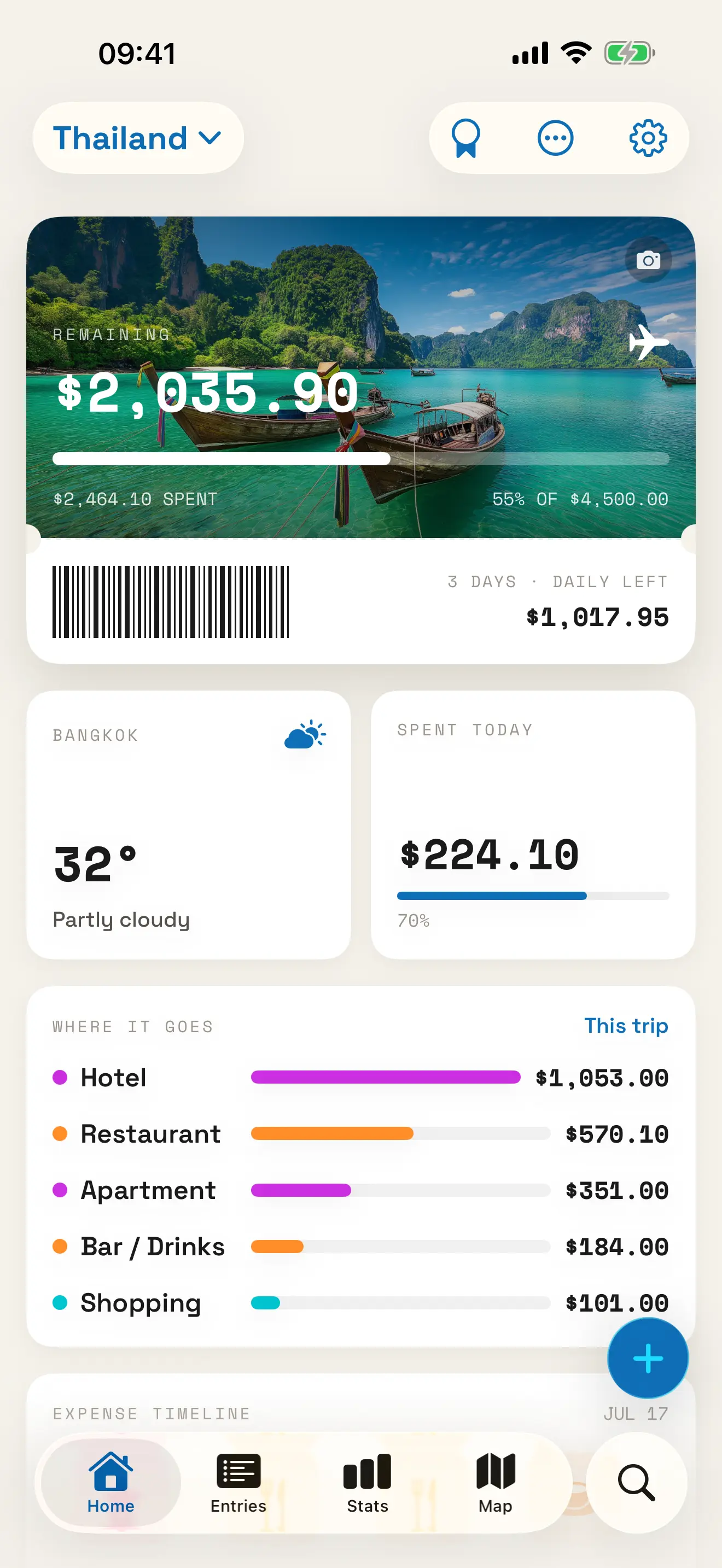
Set a total or per-day cap and get a warning before you overspend, not after.
iPhone & iPad · Expense tracking
PocketTrip logs every trip cost in any currency. Scan the receipt or tap the amount in yourself, and you can see exactly where your money went. No spreadsheet to keep up with, and no surprise waiting on your statement when you get home.
Why track at all
Most people track nothing until they get home and open a scary bank statement. By then it's too late to change anything. Logging an expense the moment you spend takes about five seconds, and it's the difference between a budget you can actually steer and a guess you'll regret.
A good travel expense tracker has to be quicker than the excuse for skipping it. PocketTrip opens straight to the add-expense screen: type an amount, pick a category, and snap the receipt if you want. A few taps and you're back on holiday, with your budget still telling the truth.
How it works
Create a trip, add a total budget or a per-day cap and pick your home currency. This one number keeps every expense honest.
Add each expense in local money, or scan a receipt. PocketTrip converts it back to your home currency with live rates.
Watch your daily cap update in real time, review spending by category, and settle up with friends before you fly home.
What's inside
Set a total or per-day cap and get a warning before you overspend, not after.
Log in local money with live exchange rates, converted back to your home currency automatically.
Snap a receipt and on-device AI fills in the amount, merchant, date and category. Nothing gets uploaded.
Share costs across companions and see exactly who owes what with a clean settle-up overview.
See spending by category, country and day, with every expense pinned on a map of your trip.
Your trips stay on your device and sync through your own iCloud, with Home & Lock Screen widgets.
FAQ
Log each expense the moment it happens, instead of trying to reconstruct your spending at the end of the trip. An app like PocketTrip lets you add a cost in any currency in a couple of taps, or scan a receipt so the on-device AI fills in the details, and it checks everything against your budget as you go.
Yes. Log expenses in any local currency with live exchange rates, and PocketTrip converts every total back into your home currency automatically, so your budget always reflects what you really spent.
Yes. PocketTrip stores your trips on your device, so you can log expenses without a connection. Exchange rates and iCloud sync catch up the next time you're online.
Yes. Your trips stay on your device and sync privately through your own iCloud account. Receipt scanning runs on-device, so photos of your receipts never leave your phone.
Ready for takeoff?
Free on the App Store for iPhone & iPad. Upgrade to Pro whenever you need more.